
From attached file to ready-to-review data
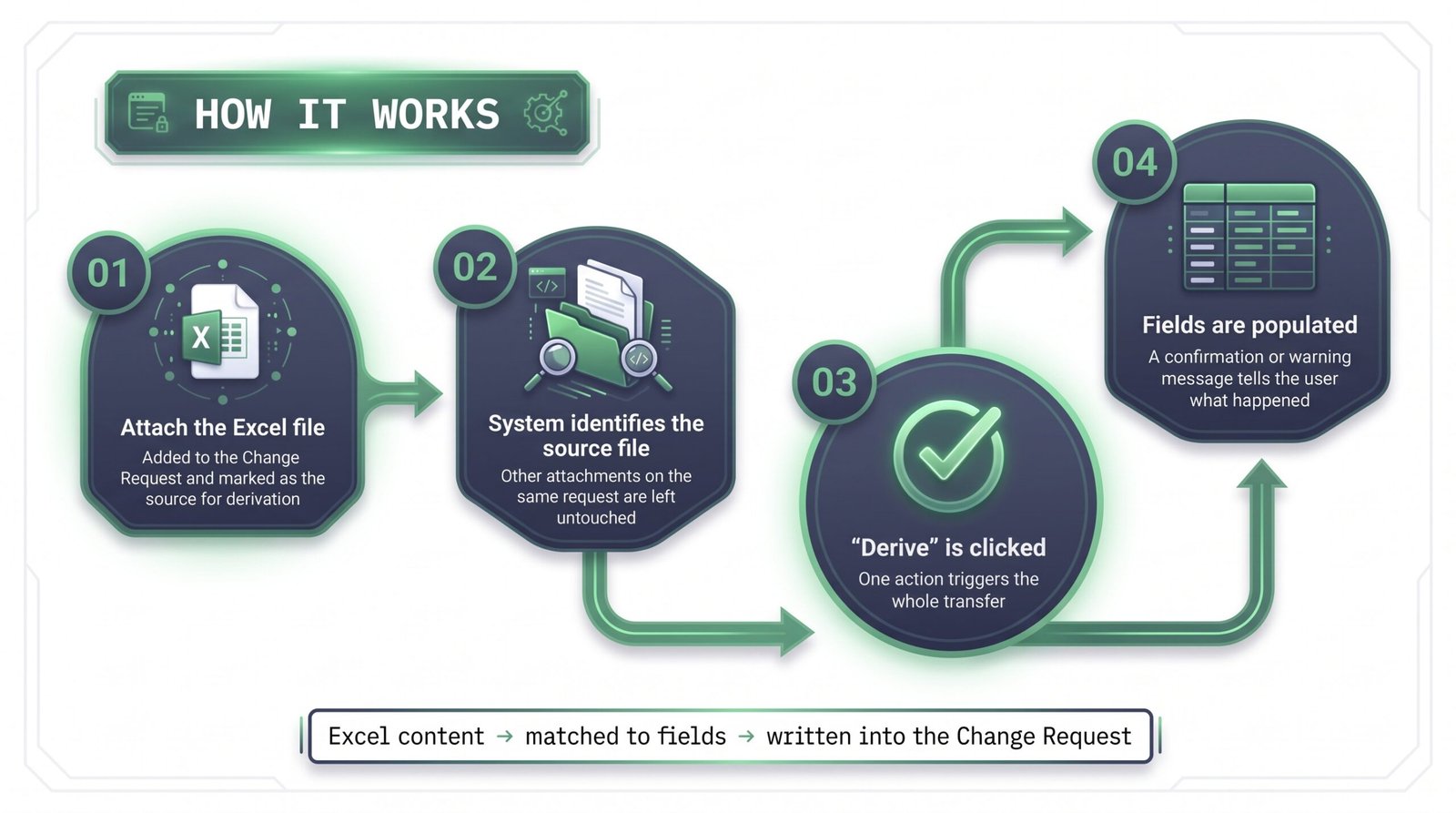
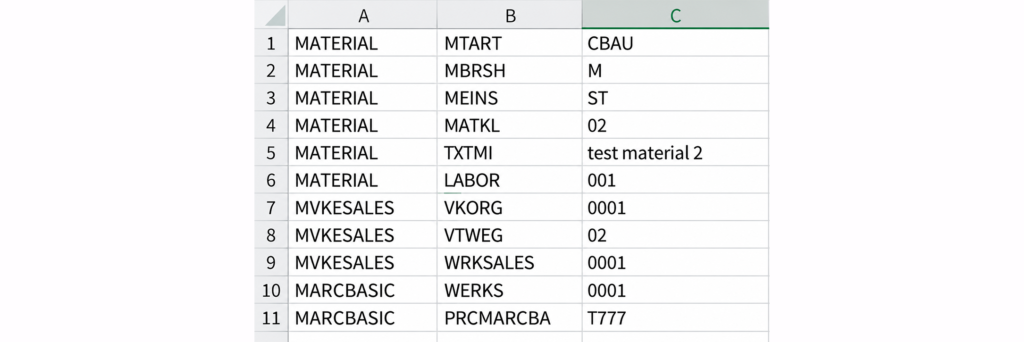
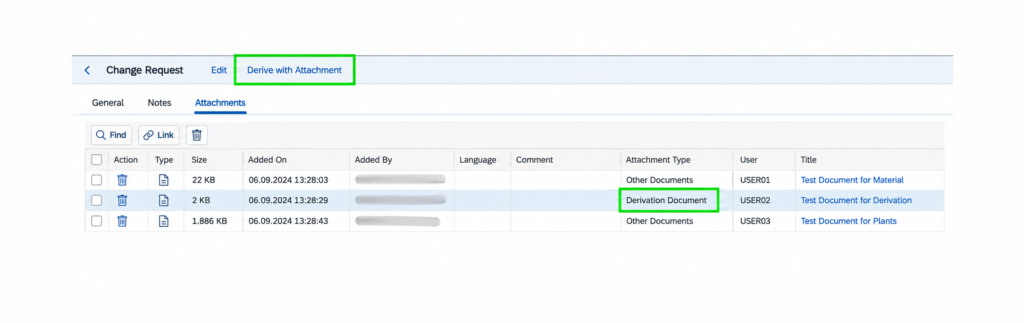
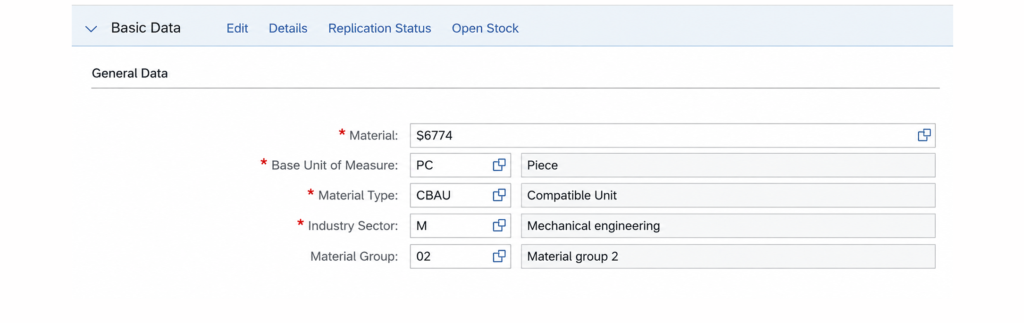
When a change request contains many fields across multiple data areas, manual entry becomes slow and difficult to control. Attachment Derivation lets the user provide the required values in a structured Excel file. With one guided action, the solution reads the designated file, checks its content, and transfers valid values into the relevant change request fields.
Before
Manual field maintenance
Manual field maintenance
Values entered one field at a time
Copy-and-paste errors across data areas
Longer preparation for data-heavy requests
Inconsistent input formats
With the Solution
Guided attachment derivation
Guided attachment derivation
One structured file as the input source
Values directed to their intended fields
Faster preparation before review and approval
Clear feedback when the input needs attention
Highlights
Faster preparation
Reduce the effort required to maintain a large number of related fields.
Controlled input
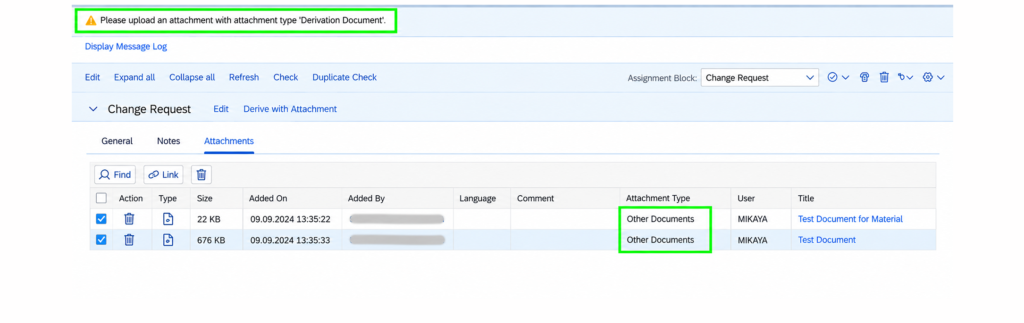
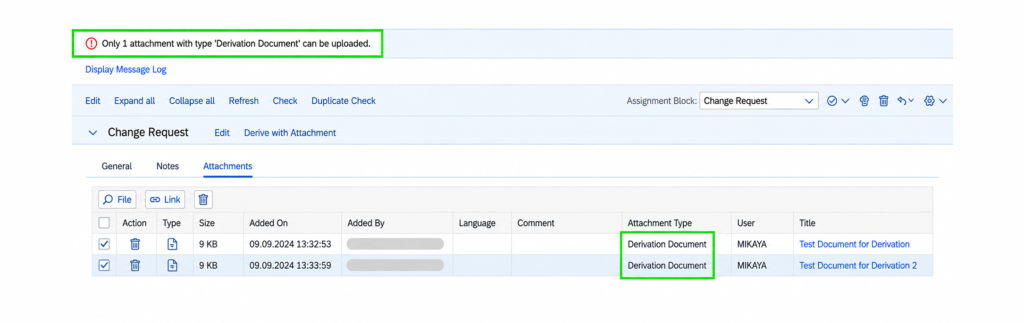
Process only the attachment identified for derivation and report missing or conflicting inputs.
Multi-area coverage
Use the file to provide values for fields belonging to different master-data areas.
Reviewable result
Derived values remain part of the governed change request and continue through its normal checks and approvals.
How It Works
See The Solution In Action
 English
  Turkish
  German