
From workflow event to targeted notification
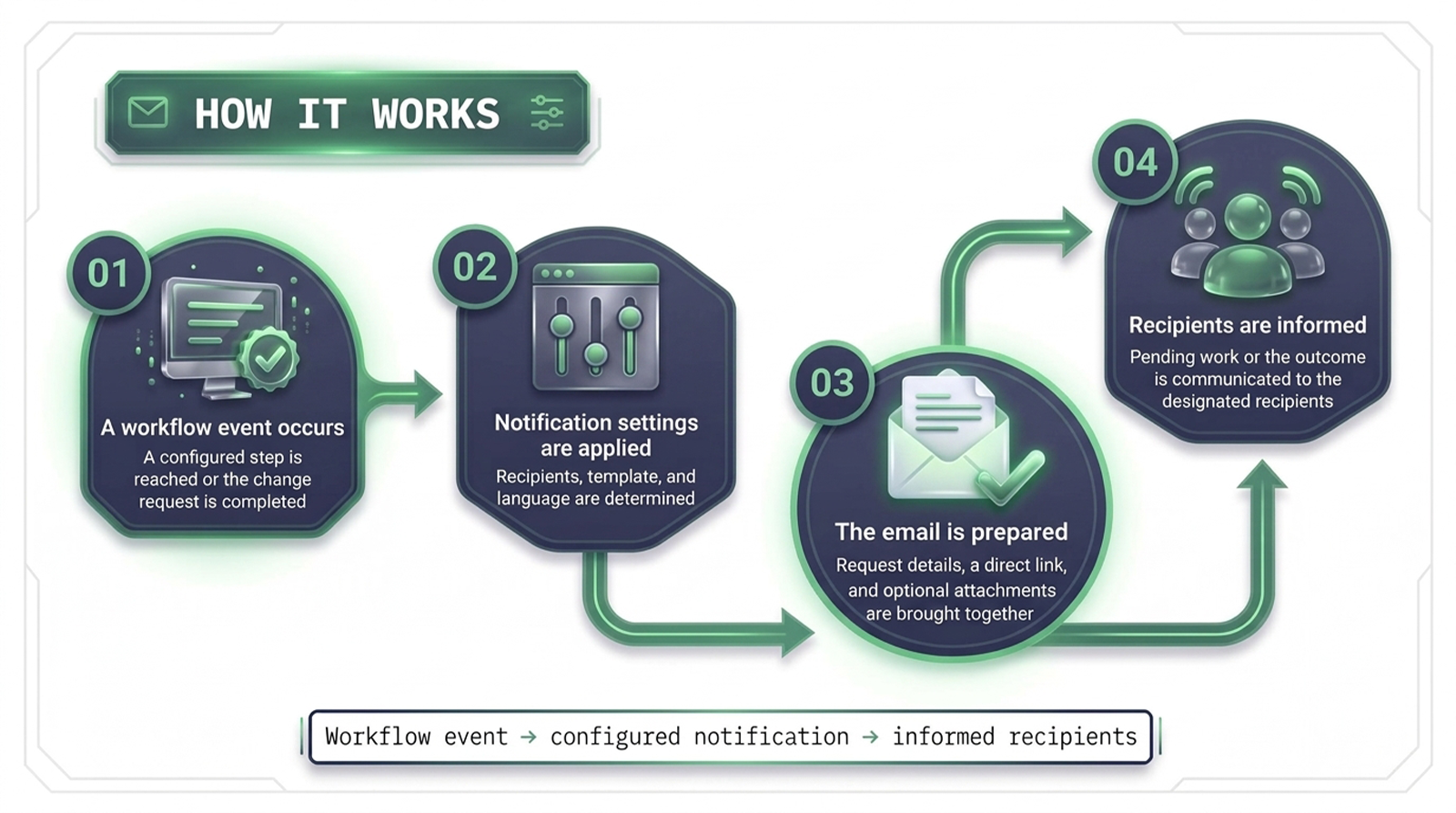
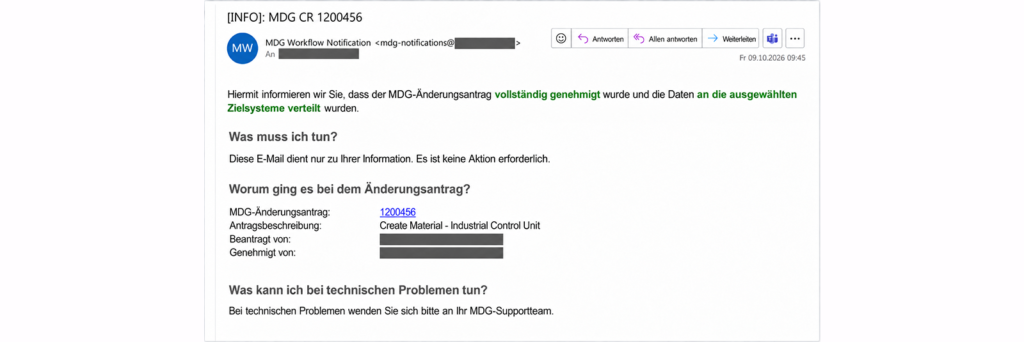
When a change request passes through several teams and approval steps, keeping everyone informed can require repeated manual follow-up. Workflow Notifications sends targeted emails when a work item reaches its responsible users or when a change request is completed. The solution applies configured recipients, templates, and languages to provide relevant request details, a direct link, and supporting attachments where needed.
Manual notification follow-up
Pending work items noticed too late
Repeated follow-up on request outcomes
Generic messages across different roles
Supporting documents shared separately
Process-driven notifications
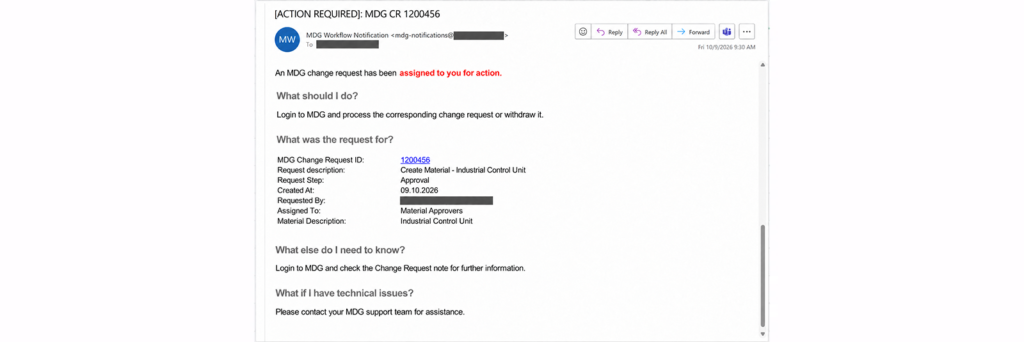
Responsible users notified at workflow steps
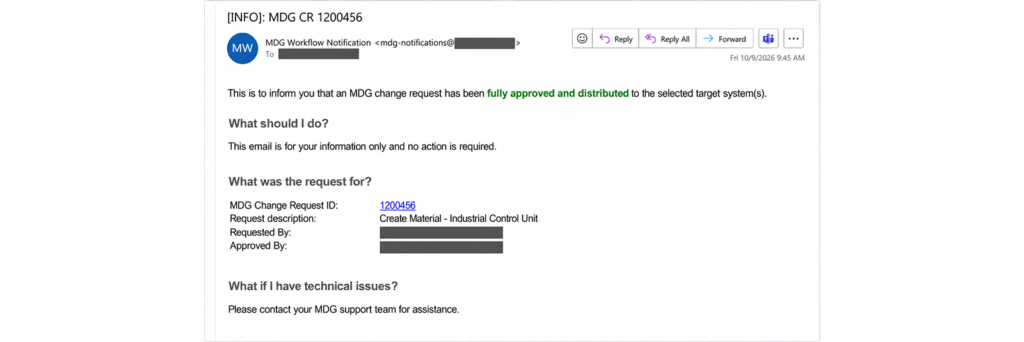
Requesters informed of the final outcome
Content and language matched to recipients
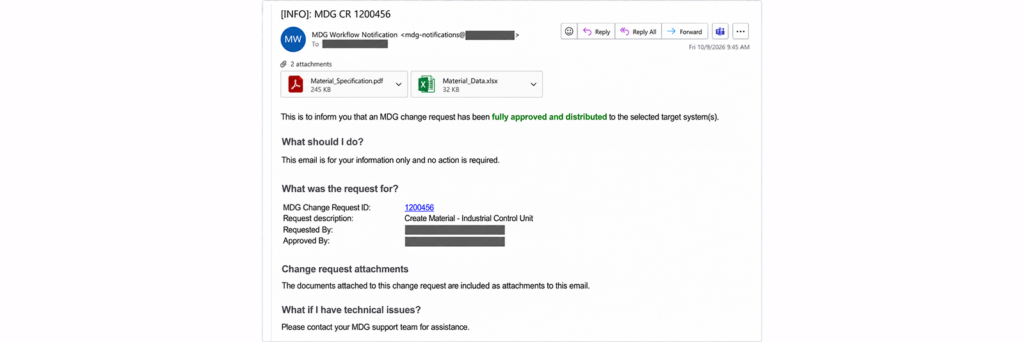
Relevant attachments included when needed
Highlights
Timely updates
Send notifications at individual workflow steps, at change request completion, or at both points in the process.
Targeted recipients
Direct each notification to the users and stakeholders defined for the workflow step, role, or change request type.
Relevant content
Provide request-specific details and a direct link in the recipient’s language. Change request documents can also be included as email attachments.
Flexible configuration
Maintain recipients, templates, and language settings through configuration to support different master data processes.
How It Works
See The Solution In Action
 English
  Turkish
  German